








Knowing where a vehicle is only solves half the problem when you know it’s being used without permission, and when you come to this realisation, you also need a way to stop it going any further. A remote engine immobiliser gives fleet managers that control, from a phone or computer, wherever the vehicle happens to be.
For many organisations, the vans, trucks, and plant assets on the road are the heart of their business. One stolen vehicle can mean lost tools and stock, missed jobs, a hire vehicle to cover the gap, and an insurance claim to work through. Out-of-hours use and unreturned vehicles can cause the same kind of disruption but on a smaller scale.
In this blog, we explain how to immobilise a vehicle remotely and when it makes sense to use one.
How does remote immobilisation work with vehicle tracking?
A vehicle tracker tells you where a vehicle is and how it’s being used, whereas a remote immobiliser lets you act on that information. The immobiliser is fitted alongside the tracker and linked to it, so you can send it a command through your supporting software or app.
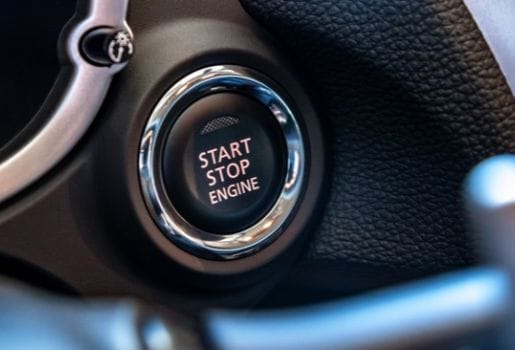
When you immobilise a vehicle, the engine can’t be restarted once it has been switched off. However, an immobiliser will never cut out an engine that’s running. When used together, tracking shows you where the vehicle is and the immobiliser stops it being driven away.
How do you immobilise a vehicle remotely?
Whether you’re trying to stop a vehicle being used, or you want to stop one that’s already gone, immobilising a vehicle typically follows the same process:
– Find the vehicle – open your tracking software or app and select the vehicle on the live map, or search for it by registration.
– Check its status – look at where the vehicle is and whether it’s moving. Most tracking software uses real-time data, meaning you’re working from current information.
– Send the immobilise command – in your app or software, there should be an option to confirm immobilisation of the vehicle.
– Wait for the engine to be switched off – if the vehicle’s moving, the command should be held as the immobiliser can’t switch off an engine that’s currently running.
– Check it’s immobilised – when the engine’s switched off, the vehicle can’t be restarted and your app or software should show it as immobilised.
– Release it when you’re ready – when you’re happy to, there should be an option in your app or software to release the vehicle from immobilisation and enable it to start as normal.
What happens if the vehicle is moving?
If you choose to immobilise a vehicle whilst the engine is running, nothing will happen until the vehicle is switched off. Cutting the engine of a moving vehicle would put the driver and other road users at risk, so the immobiliser waits until the ignition’s switched off before it takes effect.
This means a thief can keep driving until they stop. However, in that window, tracking does the work: you can follow the live location and pass it on to the police. When the vehicle does stop and you’ve enabled immobilisation, it can’t be driven away again, which gives the police time to reach it.
When should you use remote immobilisation?
Most fleets keep immobilisation for situations where a vehicle is moving when it shouldn’t be. Some of the most common circumstances for remote engine immobilisation include:
Out-of-hours movement
An out-of-hours alert tells you when a vehicle is used outside the hours you’ve set. If a van leaves the yard at 2am and you can’t account for it, immobilising it stops it being restarted wherever it next stops. But before you act, it’s worth checking the driver or the out-of-hours rota.
Plant and trailers on site
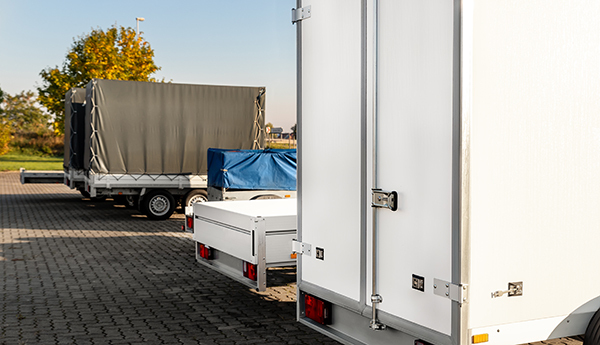
Plant assets and trailers often sit on open sites overnight and at weekends. A tow-away or geo-fence alert tells you when a machine moves or leaves the site, and immobilisation stops it being driven further once it stops.
Vehicles that are off the road
Vehicles waiting for repair, parked up between contracts, or left at a depot shouldn’t be moving at all. Immobilising them adds a layer of engine security while they’re not in use.
Vehicles that haven’t been returned
Sometimes a vehicle doesn’t come back when it should and you can’t reach the driver. Immobilisation means it can’t be used again once it’s parked, while you find out what’s happened.
Whatever the situation, you should tell your drivers the immobiliser is fitted and when you’d use it. It’s there to protect the vehicle and the people who drive it, not to catch anyone out.
How is a remote immobiliser different from a stand-alone engine immobiliser?
Most vehicles already have a factory-fitted immobiliser, and some fleets add a stand-alone engine immobiliser that needs a key fob or PIN code. Both stop the engine being started without the right key, and both are a useful first line of defence.
The weakness is that they depend on the key. Cloned keys and keyless relay attacks can get around them, but with a remote immobiliser, it works independently of the key. You control it from wherever you are, and because it’s linked to tracking, you know where the vehicle is when you use it.
What do you need before you can use a remote engine immobiliser?
With remote immobilisation through Fleetsmart, you can add this optional extra as part of your Professional plan. Before you can use it, you’ll need:
– A hardwired Fleetsmart tracker on the Professional plan (self-fit trackers don’t support immobilisation).
– The immobiliser fitted by one of our engineers, which can be installed alongside the tracker. There are no visible switches, which makes it hard for a thief to find and disconnect.
– Access to the Fleetsmart app or web platform for the people who’ll make the decision to immobilise.
It’s compatible with most modern vans, trucks, company cars, and plant assets. If you run older or specialist vehicles, it’s worth checking with our team before you opt for remote immobilisation.
Ready to add remote engine immobilisation to your plan?
Remote engine immobilisation can help optimise your business vehicles, security, and asset management. Whether a vehicle has been stolen or is being used out-of-hours without prior agreement, remote engine immobilisation can give fleet managers greater control and better operational efficiency.
If you’re already a Fleetsmart customer, a remote engine immobiliser can be added to any vehicle that’s fitted with a hardwired tracker on our Professional plan. It’s fitted by our engineers and controlled from the same app you use for tracking.
If you’re ready to add remote engine immobilisation to your plan, or to find out more about this optional extra, get in touch with our team today for further guidance, installation information, and a tailored quote.
Remote engine immobiliser FAQs
Can a remote immobiliser stop a moving vehicle?
No. The immobiliser waits until the engine has been switched off before it takes effect, so the vehicle never cuts out on the road. This protects the driver and other road users.
Can I fit a remote immobiliser myself?
No. Remote immobilisation should be fitted by a trained professional. At Fleetsmart, our immobilisers can be fitted by our engineers alongside a hardwired tracker on the Professional plan.
Will a remote immobiliser lower my insurance premiums?
It may help, but it’s not always guaranteed. It depends on your insurer and your policy, so it’s worth speaking to your insurance provider before you go ahead and install one on your vehicles.
Do I need to tell my drivers about remote engine immobilisation?
Yes. Under UK GDPR regulations and the Data Protection Act 2018, drivers must be told that their vehicle is being tracked. You should also tell them about immobilisation at the same time, including when you’d use it so they’re fully aware.